10 Navigation Habits That Can Make Your Phone Use Power Almost As Fast As It Charges
Navigation can drain your phone faster than expected. From high screen brightness to weak chargers and background apps, these 10 common habits can quickly turn a healthy battery into a low-power warning.
10 Navigation Habits That Can Make Your Phone Use Power Almost As Fast As It Charges
There is a peculiar kind of anxiety that appears when a phone battery hits 12 per cent while the destination still sits 40 minutes away. The charger is somewhere at home, the cab driver has taken an unfamiliar turn, and the navigation app remains the only reliable clue about where the journey is heading. Navigation ranks among the more demanding everyday jobs a smartphone performs. The phone may need to determine its location, maintain a mobile-data connection, refresh maps, calculate routes, update traffic information and keep the display awake at the same time. Add Bluetooth, music streaming and a warm dashboard into the mix, and the battery has plenty to deal with.
10 Navigation Habits That Can Make Your Phone Use Power Almost As Fast As It Charges
Photo Credit: Pexels
The problem is not simply using navigation. Much of the unnecessary drain comes from small habits that seem harmless in isolation. Change a few of them, and that nervous search for a charging cable may become far less common.
The Everyday Navigation Habits Draining Your Battery
1. Keeping The Screen At Full Brightness
That bright map certainly looks impressive, particularly when sunlight pours through the windscreen. Unfortunately, maximum display brightness can also make navigation far more demanding on the battery.
The display is already one of a smartphone's major power consumers. During navigation, it may remain switched on for an hour or longer instead of sleeping after a minute or two. Push the brightness slider to the top and the battery has to support that glowing screen throughout the journey.
Consider a midday drive from Noida to Gurugram. Strong sunshine might tempt anyone to crank the display to maximum brightness and leave it there even after entering shaded roads or parking areas. The phone continues spending extra energy long after that brightness stops being useful.
Adaptive brightness usually offers a more sensible balance. Manual adjustment works too. Keep the map readable rather than dazzling.
A navigation screen needs to show the next turn clearly. It does not need to illuminate the car like a tiny LED billboard.
2. Leaving Navigation Running After Reaching The Destination
Arrival should mean the end of navigation. Yet plenty of phones continue running route guidance because nobody actually taps the exit button.
Perhaps the restaurant has been found, everyone jumps out of the car, and the phone disappears into a pocket. Fifteen minutes later, the navigation app is still tracking location and occasionally attempting to redirect the user from inside the building.
This forgotten session may continue using location services, mobile data and background processing. The impact might seem modest over a few minutes, but repeated regularly, it becomes needless battery drain.
The habit becomes particularly easy to overlook during journeys involving several stops. Someone reaches a pharmacy, spends twenty minutes inside, returns to the vehicle and discovers that the phone has been enthusiastically recalculating a route from somewhere near the shampoo aisle.
End the trip when navigation is no longer required. It takes only a moment.
Phones cannot always recognise when guidance has become unnecessary. Sometimes the easiest battery-saving technology remains a well-timed tap on “Exit”.
Also Read: How To Choose The Best 5G Smartphone Under ₹20,000 In 2026
3. Using Live Navigation For Routes You Already Know
Turn-by-turn directions make sense when travelling somewhere unfamiliar. Using them for the same commute followed six days a week can be another story.
Some commuters automatically start navigation every morning, even when every flyover, petrol pump and troublesome junction along the route could practically be described from memory. Live traffic information may still prove useful, but full navigation does not always need to remain active throughout the journey.
A lighter approach can work well. Check traffic conditions before leaving, compare alternate routes and then close navigation if the usual road looks clear. Open it again only when congestion or a diversion creates uncertainty.
Think of the familiar ride from home to the office. If the route has not changed in three years, the phone probably does not need to announce every turn as though both traveller and handset have just arrived in town.
Navigation should solve uncertainty, not become a ritual. Using it selectively reduces unnecessary screen time, location tracking and data activity while still keeping route information available when it actually matters.
4. Streaming Music While Navigation Is Working
A road trip without music can feel suspiciously quiet. Still, streaming songs while running navigation gives the phone another demanding task to juggle.
The navigation app needs location information and frequent data updates. A music service may simultaneously download the next track, refresh recommendations and communicate with Bluetooth speakers or the car's audio system. The phone suddenly becomes navigator, radio station and wireless hub all at once.
That workload becomes more noticeable on long journeys. Imagine a weekend drive from Mumbai towards Lonavala with maps running, a playlist streaming continuously and Bluetooth connected to the car. Add calls or messages along the way, and battery consumption can accelerate.
Downloading playlists beforehand offers a simple improvement. Offline music removes continuous audio streaming from the equation, while the journey still gets its soundtrack.
Nobody needs to spend a highway drive listening only to tyre noise and impatient horns. The idea is simply to reduce simultaneous network-heavy activities.
Let navigation handle the road. Let downloaded music handle the mood.
10 Navigation Habits That Can Make Your Phone Use Power Almost As Fast As It Charges
Photo Credit: Pexels
5. Ignoring Offline Maps Before Long Trips
Mobile data feels dependable until the road passes through an area where the signal indicator begins behaving like a disappearing magic trick.
When connectivity becomes weak, a phone may repeatedly search for a stable network while navigation attempts to load map information and route updates. That constant effort can increase power consumption. It also creates the particularly unhelpful combination of a struggling battery and an uncertain route.
Offline maps can make long journeys less stressful. Downloading the relevant region before leaving allows basic map information to remain available even when the network becomes unreliable.
This is especially useful for hill drives, rural stretches and journeys across areas with patchy mobile coverage. A traveller heading through winding roads does not want the map tiles to vanish just as three identical-looking turns appear ahead.
Offline maps will not necessarily provide every live feature, particularly real-time traffic information. However, they can reduce dependence on a continuous data connection and provide useful backup.
A few minutes of preparation at home can save both battery power and colourful vocabulary on the road.
6. Keeping Every Location-Based App Active
Navigation might be the obvious location user, but it may not be the only app asking the phone where it is.
Weather apps, shopping services, social platforms, food-delivery apps, fitness trackers and other services can request location access. When several receive broad permission to use location in the background, unnecessary activity can accumulate.
A quick permissions check often reveals surprises. That app downloaded once to find a café six months ago may still have generous location privileges. Meanwhile, another service may be allowed to check position even when it rarely needs to know anything beyond the city.
Changing appropriate apps to options such as “While Using The App” can reduce needless background location access. Some services genuinely need broader permissions, so disabling everything without thought is not the goal.
Treat location access like lending someone a spare key. Give it where useful, not automatically to every app that asks politely.
The navigation app already has enough work to do during a journey. There is little benefit in letting a dozen unrelated apps join the location-tracking party.
7. Constantly Zooming, Rotating And Exploring The Map
Navigation apps are wonderfully interactive. Pinch the screen, rotate the view, switch perspective, inspect nearby roads and suddenly five minutes have disappeared.
Frequent map interaction also creates more work for the phone. Moving around the map can trigger additional rendering and may require fresh map information, particularly when exploring areas beyond the currently loaded route.
This often happens when passengers become unofficial journey supervisors. One person drives while another repeatedly zooms out to inspect the entire city, zooms back in to check the next junction and drags the map sideways to investigate an alternate road that nobody intends to take.
Occasional map exploration will not destroy a battery. Constant interaction during a long trip, however, adds avoidable activity to an already demanding task.
Once the route looks sensible, allow navigation to do what it does best: guide the journey. Check alternatives when necessary rather than treating the live map like a strategy game.
Sometimes the most battery-friendly finger movement is simply leaving the screen alone.
8. Leaving The Phone Baking In Direct Sunlight
A phone mounted near the windscreen gets a wonderful view of the road. It may also get far more sunshine than its battery would appreciate.
Navigation already keeps several components active. Charging can create additional heat, and direct sunlight raises temperatures further. On a hot afternoon, the phone can become noticeably warm, especially during a long drive.
Excessive heat is bad news for performance and battery health. A device may reduce charging speed or limit performance when temperatures climb too high. In extreme situations, it may display a temperature warning and temporarily restrict use.
That creates an awkward situation: the phone sits connected to a charger, yet the battery percentage barely rises because navigation and heat are working against efficient charging.
Position the phone where the screen remains visible without sitting in intense sunlight for hours. Air-conditioning airflow can help keep the surrounding cabin comfortable, although freezing the handset directly against an icy vent is unnecessary.
A phone should guide the journey, not spend it slowly roasting beside the windscreen.
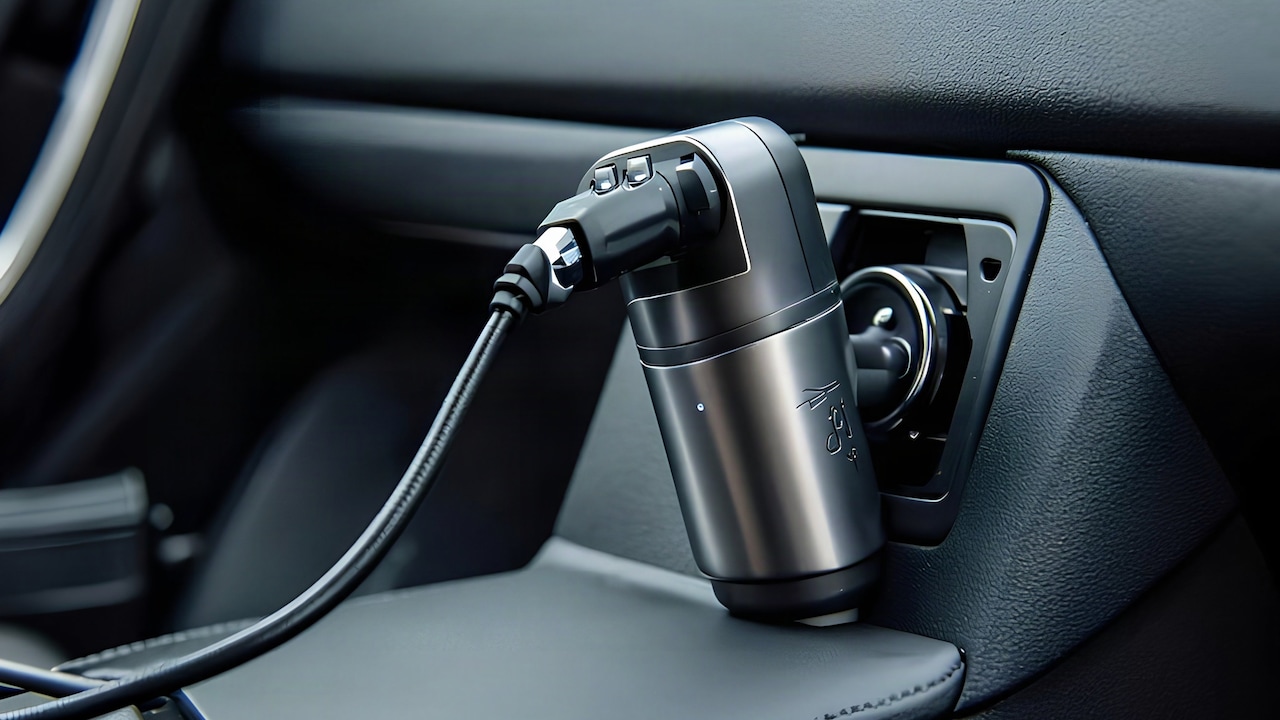
9. Using Weak Chargers During Navigation
Not every charger can keep up with an actively navigating phone.
An old car USB port or low-powered adapter may supply enough electricity to make the charging symbol appear while delivering less power than the device is consuming. The result feels almost absurd: the phone says it is charging, yet the battery percentage keeps dropping.
Navigation, a bright display, mobile data, Bluetooth and music playback can create substantial combined demand. If the charger provides only a modest output, it may slow the battery decline rather than reverse it.
This becomes particularly annoying during long drives. A phone starts at 45 per cent, remains plugged in for an hour and somehow arrives at 39 per cent. Technically, electricity was entering the device. It simply was not arriving quickly enough.
A compatible, good-quality charger and cable can make a significant difference. Cheap cables with poor performance can also become the weak link.
That ₹300 cable picked up in a hurry may look like a bargain. During a three-hour navigation session, the saving can suddenly feel less impressive.
10. Running Navigation Alongside Too Many Other Tasks
Smartphones excel at multitasking, which makes it easy to forget that every extra activity has a cost.
During navigation, someone might receive video calls, upload photos, download large files, sync cloud backups and keep several apps busy in the background. Modern phones can handle plenty of this without complaint, but battery consumption naturally rises as more components stay active.
The simplest approach is not to obsessively close every recent app. Modern operating systems manage inactive applications reasonably well. Instead, pay attention to genuinely demanding activities happening alongside navigation.
A cloud photo backup can wait. A massive app update probably does not need to download over mobile data halfway through a road journey. Video streaming for passengers may also place additional pressure on the same device that everyone depends on for directions.
Before a long trip, complete large downloads and updates while connected to Wi-Fi and power.
Think of the phone as the person driving the family holiday car. It can handle several conversations, but perhaps this is not the ideal moment to hand it six extra jobs and ask why it looks tired.
10 Navigation Habits That Can Make Your Phone Use Power Almost As Fast As It Charges
Photo Credit: Pexels
Products Related To This Article
1. Apple iPhone Air 256 GB: Thinnest iPhone Ever
2. OnePlus Nord CE6 | 8GB+128GB | Pitch Black | Snapdragon 7s Gen 4
3. Samsung Galaxy M07 Mobile (Black, 4GB RAM, 64GB Storage)
4. OnePlus N6x | 4GB+64GB | Burgundy Red | 7000mAh Battery
5. REDMI Turbo 5 (8GB + 256GB) Turbo White | MediaTek Dimensity 8500 Ultra
6. realme NARZO 80 Lite 4G (Obsidian Black 2026, 4GB+64GB)
7. OnePlus 15R | 12GB+256GB | Charcoal Black | World's First Snapdragon
Navigation has transformed everyday travel. Missing an unfamiliar turn no longer means stopping beside a tea stall and attempting an elaborate conversation involving hand gestures, landmarks and three contradictory directions.
That convenience does demand power. Location services, mobile connectivity, screen activity, route calculations and live information can all contribute to battery consumption. Poor habits simply make the workload heavier.
Fortunately, improving battery life during navigation does not require turning a modern smartphone into a bare-bones device. Small changes matter. Lower unnecessary brightness, end navigation after arrival, download useful content before travelling, limit needless location permissions and avoid piling demanding tasks onto the phone at the same time.
A suitable charger helps too, particularly on longer drives. The goal is not to spend every journey staring anxiously at the battery percentage. Quite the opposite. Good habits allow the technology to fade into the background, where it belongs.
After all, arriving at the destination with 35 per cent battery left feels considerably better than arriving with 3 per cent and immediately beginning a desperate hunt for the nearest wall socket.
(Disclaimer: This article may include references to or features of products and services made available through affiliate marketing campaigns. NDTV Convergence Limited (“NDTV”) strives to maintain editorial independence while participating in such campaigns. NDTV does not assume responsibility for the performance or claims of any featured products or services.)