How To Choose A Laptop Bag That Doesnot Strain Your Shoulder
Sick of dealing with annoying shoulder pain from your daily commute? Check out this easy guide on picking a comfy laptop bag that actually protects your back.

How To Choose A Laptop Bag That Doesn't Strain Your Shoulder
A quality laptop bag will not only protect your laptop but also help you stay organised and make it incredibly easy to get from point A to point B. Bringing your laptop to work, a coffee shop, school, or the airport? A laptop bag can make a world of difference․ While most people spend a great amount of time considering the specifications of their laptop‚ many people forget to consider how to best carry their laptop with proper support‚ durability in backpacks‚ storage‚ and looks․ That is why purchasing a high-quality laptop bag is essential if you are carrying your laptop around at all. The good news is that finding a bag that doesn't feel like a torture device isn't rocket science. Once you know what to look for regarding weight distribution and ergonomic support, picking the perfect daily carrier gets incredibly simple. Here is a practical breakdown of how to choose a laptop bag that actually works with your body, not against it.
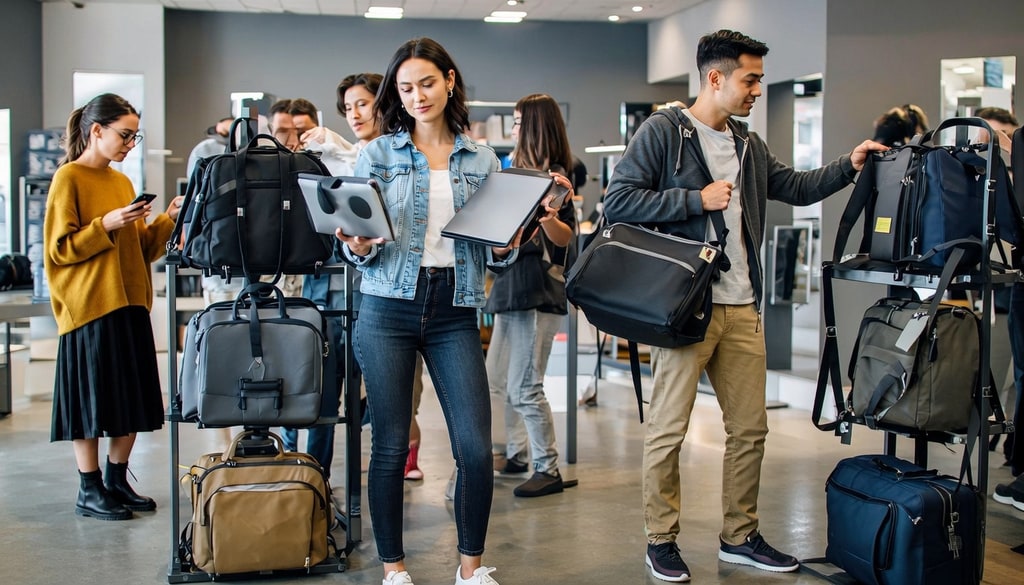
Upgrade your daily travel with these ergonomic, back-saving laptop bags designed for ultimate comfort; Photo Credit: iStock
Why The Wrong Laptop Bag Can Absolutely Wreck Your Shoulders?
Most modern laptops weigh somewhere between 1kg and 2.5kg. That doesn't sound like much on paper, right? But things change fast when you throw in a bulky charging brick, a notebook, your water bottle, a power bank, some headphones, and whatever else hides at the bottom of your bag. Suddenly, you are lugging around a serious amount of weight. Surprisingly, the total weight isn't even the biggest villain here; it's how that weight sits against your body.
When a bag is poorly designed, it forces one side of your body to do all the heavy lifting. Your shoulder muscles have to constantly tighten to compensate for the uneven load, which is a one-way ticket to terrible posture, a stiff neck, and deep shoulder aches. If your current bag has razor-thin straps, zero padding, or lets all your gear pool at the very bottom, you are actively setting yourself up for discomfort.
This is exactly why ergonomic designs have taken off lately. Stuff like thick, contoured shoulder straps, breathable mesh back panels, and internally placed compartments isn't just marketing tricks. They're engineered to spread the load across your whole upper body, so your everyday haul feels noticeably lighter and more manageable.
If you are someone who regularly commutes, travels for business, or just spends a lot of time on your feet with your tech in tow, switching to a body-friendly bag can genuinely change how your body feels by the end of the day.
Also Read: Top 10 Laptop Bags Under ₹1500 For Work And Travel That Are Not Bulky
Simple Steps To Find A Laptop Bag That Feels Weightless
Step 1: Hunt Down Wide, Heavily Padded Shoulder Straps
Thin straps act like cheese wire when a bag gets heavy, digging straight into your collarbone. You want to look for wide, generously padded straps instead. By widening the strap, the bag spreads the downward pressure across a larger surface area on your shoulder. This simple design trick stops fatigue from setting in during those long walks to the train station or office.
Step 2: Make Sure It Has A Dedicated, Snug Laptop Compartment
If your laptop is free to slide around inside your bag, your centre of gravity shifts every time you take a step. A dedicated, padded sleeve keeps the heaviest item in your bag locked securely in one place, ideally right against your back. Keeping the weight close to your spine makes the whole load feel dramatically lighter and better balanced.
Step 3: Stick To The Right Size For Your Device
It is incredibly tempting to buy a massive bag "just in case" you need the extra room someday. Don't do it. A bigger bag just invites you to overpack and carry junk you don't actually need. Buy a bag tailored specifically to the dimensions of your laptop. It keeps things compact, forces you to pack smart, and keeps the overall weight down.
Step 4: Opt For Lightweight Base Materials
The bag itself shouldn't feel like a workout before you even put anything inside it. Heavy leather or thick, over-engineered canvases look cool but add unnecessary bulk. Look for lightweight, high-density polyesters or nylon fabrics. They give you all the durability and weather resistance you need without adding extra pounds to your shoulders.
Step 5: Take A Close Look At The Back Panel Design
Never underestimate the power of a good back panel. A heavily padded, breathable mesh design does two things beautifully: it cushions your back against the hard edges of your laptop and keeps air flowing so you don't end up with a sweaty shirt. It creates a soft, supportive buffer that eliminates painful pressure points.
Classic Mistakes People Make When Buying A Laptop Bag
1. Shopping Solely With Your Eyes:
It's easy to fall in love with a gorgeous, minimalist bag on Instagram. But if that sleek exterior lacks thick straps, internal structure, or padding, it's going to become your enemy within a week. Always prioritise function over pure aesthetics.
2. Completely Ignoring Strap Quality:
We tend to look at the pockets, the colour, and the zippers, completely forgetting to check out the underside of the straps. If the straps feel flimsy, cheap, or stiff, skip the bag entirely. They are the primary contact point between the weight and your body.
3. Going Oversized:
Buying a bag that's way too big for your daily needs is a slippery slope. Human nature dictates that if there is empty space in a bag, we will eventually fill it with random clutter. Keep it tight, intentional, and compact.

Say goodbye to shoulder pain and hello to ergonomic comfort with our top laptop bag picks. Photo Credit: iStock
Some Excellent Bags That You May Like
1. MOKOBARA The Kaleido Backpack, Water-Resistant
2. Aristocrat Nova 15L Laptop Backpack for Men & Women
3. FUR JADEN Anti-Theft Number Lock Backpack Bag
4. SWISS MILITARY 30L Laptop Travel Backpack
5. Nasher Miles Backpack Fits 15.6 Inch Laptop
6. Arctic Hunter Slim Laptop Backpack 16L Lightweight
7. Lenovo 16-inch Value Lite Backpack, Comfortable, Padded
8. Tommy Hilfiger Joshua Polyester Unisex 15 Inch Laptop Backpack
The right laptop bag protects your device and matches your daily routine. Look for comfort, storage, and durability instead of just style. Whether it's for office, college, or travel, choose one that fits your laptop and lifestyle. Invest once in a good laptop bag, and it will carry you through for years. Shop now on Amazon.
Frequently Asked Questions (FAQs)
1. What kind of bag is best if I already have chronic shoulder pain?
Go for an ergonomic backpack with contoured, heavily padded shoulder straps. Backpacks distribute the load evenly across both sides of your body, which drastically cuts down on localised muscle strain compared to single-strap bags.
2. Are backpacks honestly better than messenger bags for work?
Yes, absolutely. While messenger bags look incredibly professional, they pull down exclusively on one side of your body. For a daily commute, a backpack offers vastly superior weight distribution and comfort.
3. How much should an empty laptop bag really weigh?
As little as you can get away with. Go for bags made from lightweight yet solid materials such as premium nylon or polyester, so you aren't lugging around unnecessary dead weight before you even start packing your computer.
4. Does extra padding on the shoulder straps actually change comfort?
Yes, it really does. More cushioning helps absorb the impact of the load and keeps the straps from pinching and irritating you, or worse, digging in your skin, which is usually the real reason behind that warm, burning feeling across your shoulders.
5. How can I figure out what backpack size to order?
Start with the exact laptop screen size (for example, 14-inch or 15.6-inch), then line it up with the bag's built-in sleeve measurements. A secure fit helps keep the laptop steady and makes sure the backpack doesn't end up bulkier than it needs to be.
(Disclaimer: This article may include references to or features of products and services made available through affiliate marketing campaigns. NDTV Convergence Limited (“NDTV”) strives to maintain editorial independence while participating in such campaigns. NDTV does not assume responsibility for the performance or claims of any featured products or services.)